Logic Pro · Kemper Player · Live
Fewer clicks.
More music.
Tools born from my needs as a musician: prepare a gig, monitor my Kemper and automate sound changes.
Adrien Deurveilher
01 / For the stage
One project per song.
One place for your live set.
TrackRelay organizes your Logic Pro projects into setlists. Open the right song, control playback and keep your live set in view.
Build your set
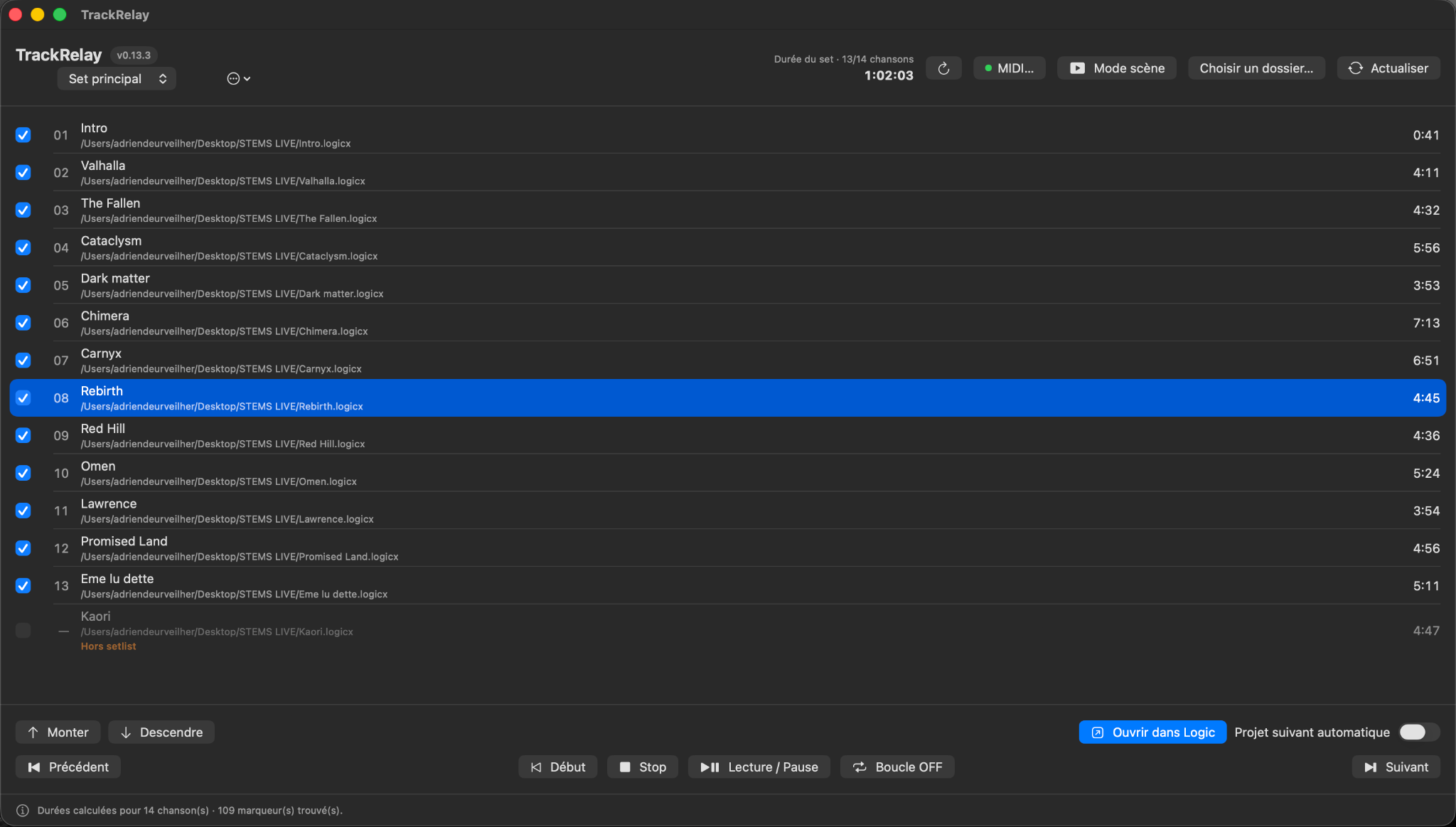
Create multiple setlists, arrange songs, include or exclude tracks and see the total duration. Refresh the folder when your projects change.
Stay on track on stage
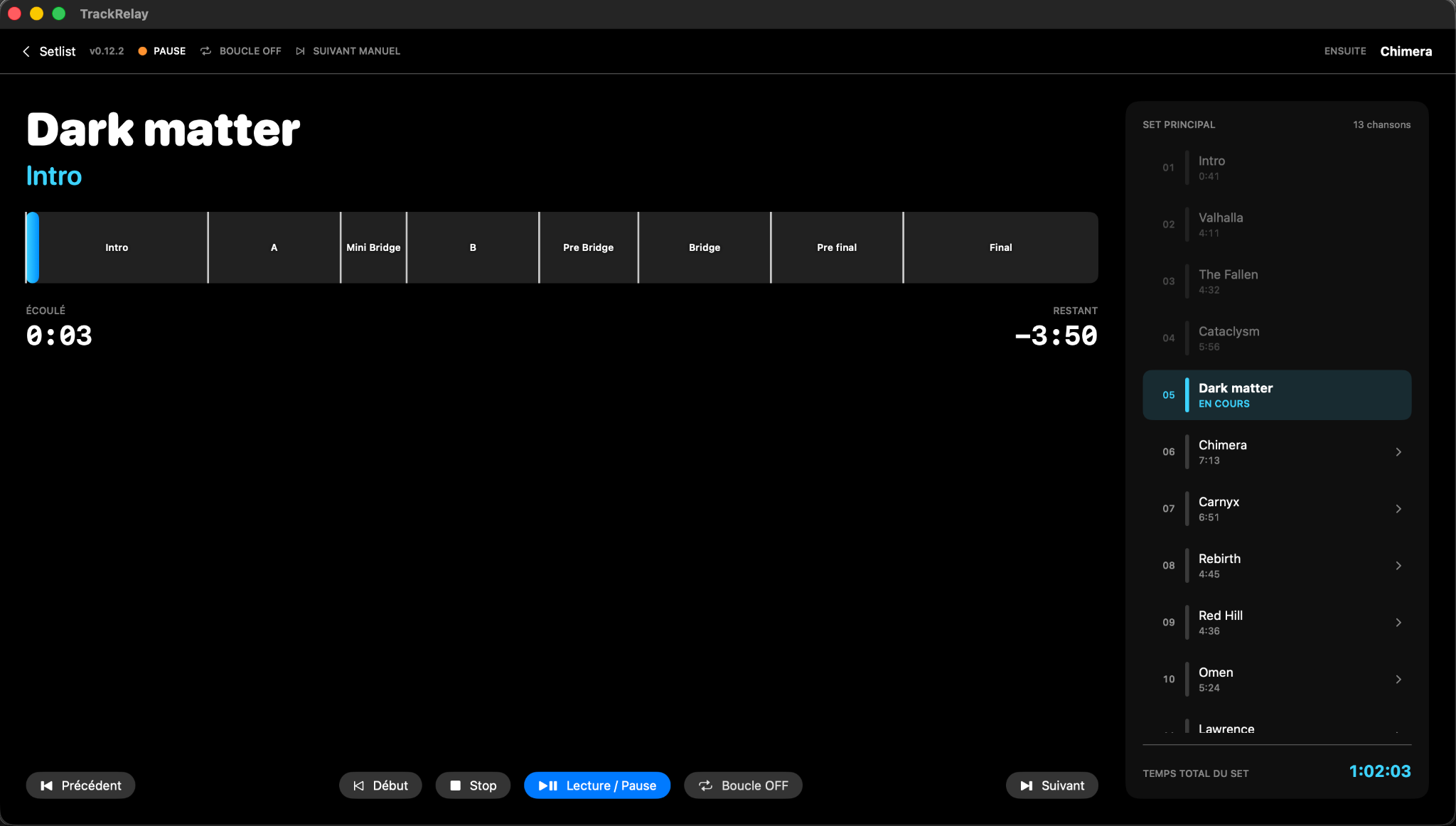
See the current song, its sections, progress and what’s coming next in a clear live view.
Control it with your feet
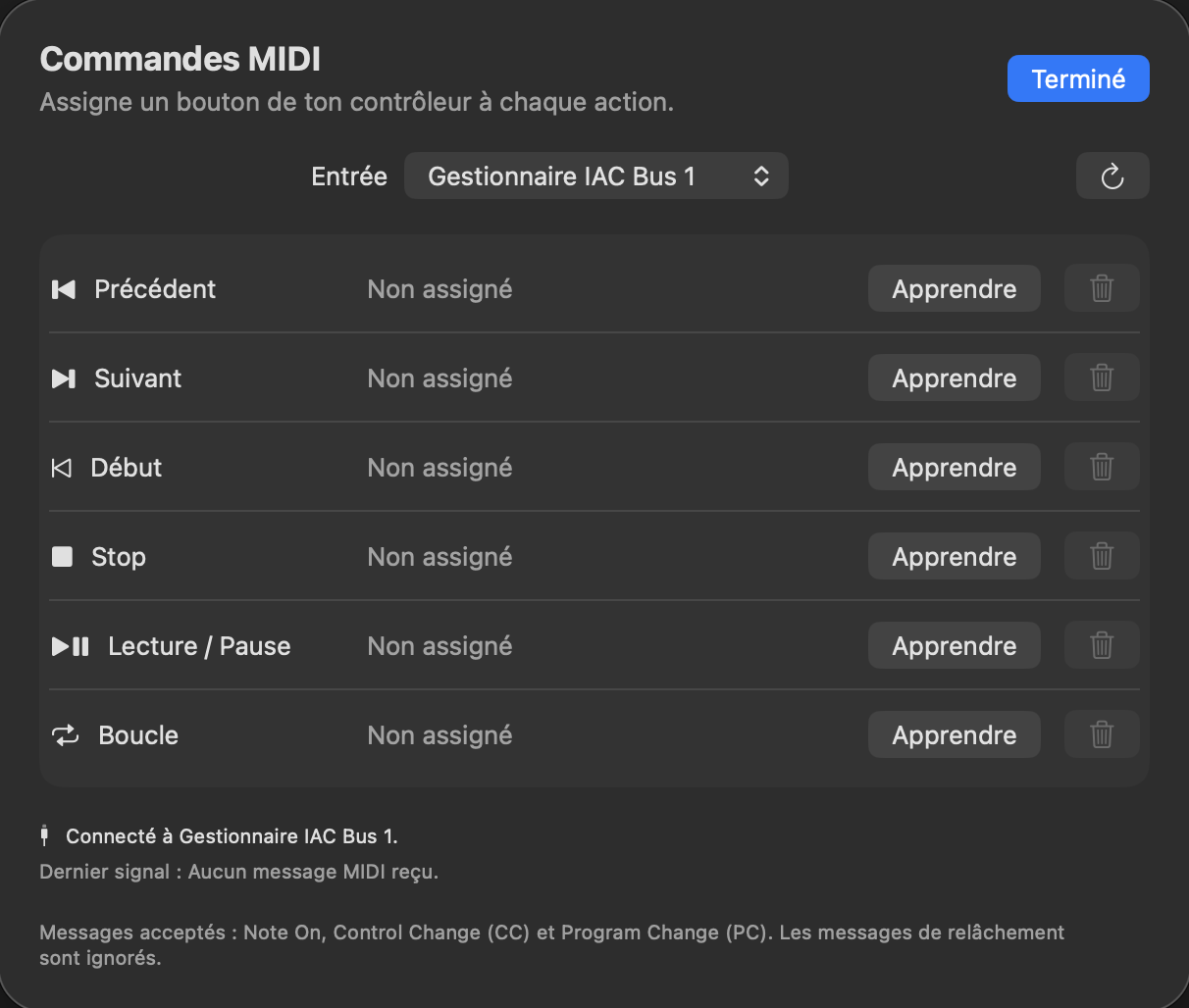
Use MIDI Learn to map your MIDI controller to navigation, transport and Cycle mode.
macOS 13+ · Logic Pro · French / English interface.
Position tracking requires MTC; transport control requires Accessibility permission.
02 / For Kemper Player
The right sound.
At a glance.
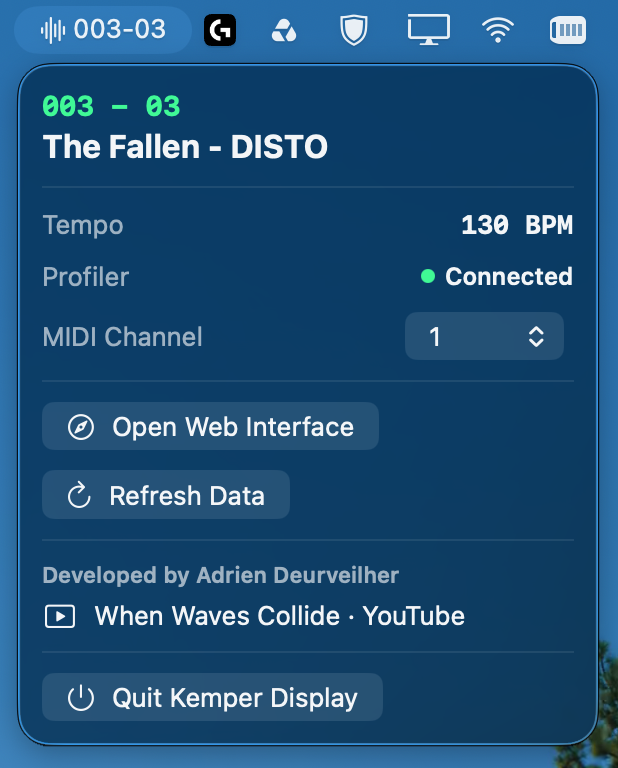
Kemper Display shows the Rig name, bank, slot and effect status. Check them on your Mac or keep the display near your pedalboard.
- A discreet app in the Mac menu bar.
- A web interface for a phone or tablet on your local network.
- An iPhone companion app over Bluetooth: the Kemper stays connected to your Mac via USB.
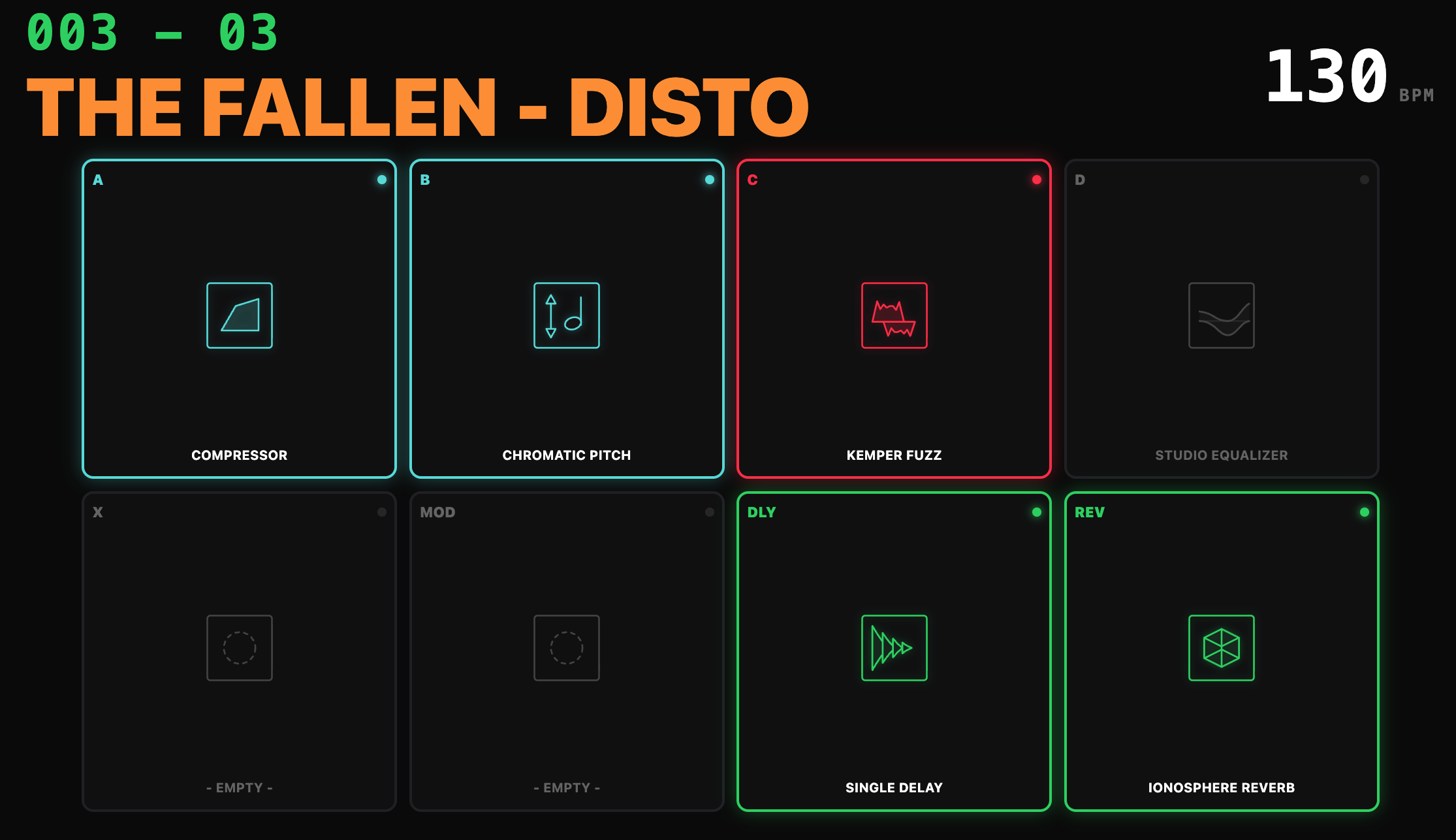
This feature requires the updated Mac version and the iPhone companion app. The Mac and Windows builds in release 1.0.0 are from the initial version; check the release notes for available versions.
See the app in the Mac menu bar
03 / Create MIDI patterns
Draw a phrase.
Place it in your song.
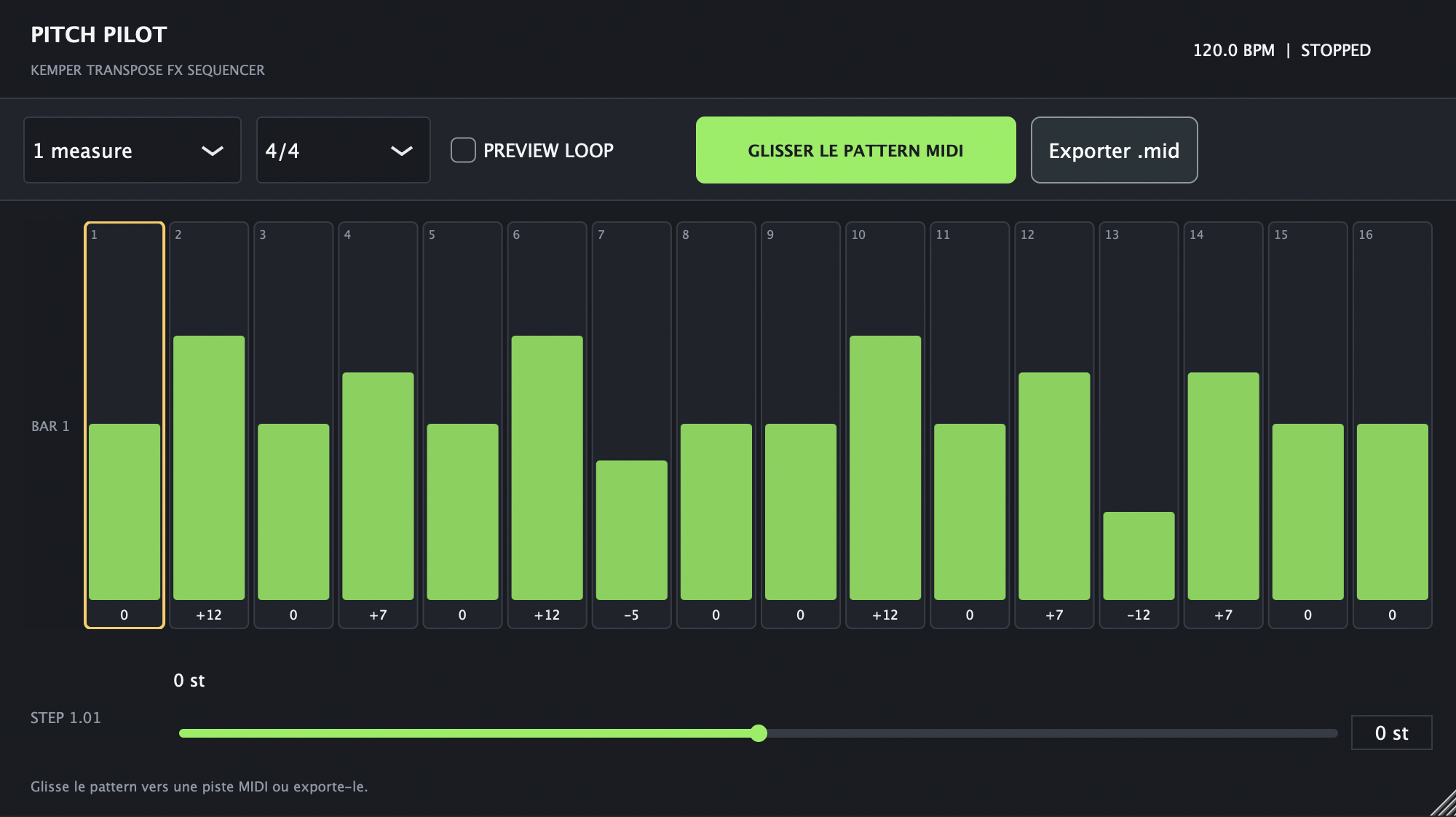
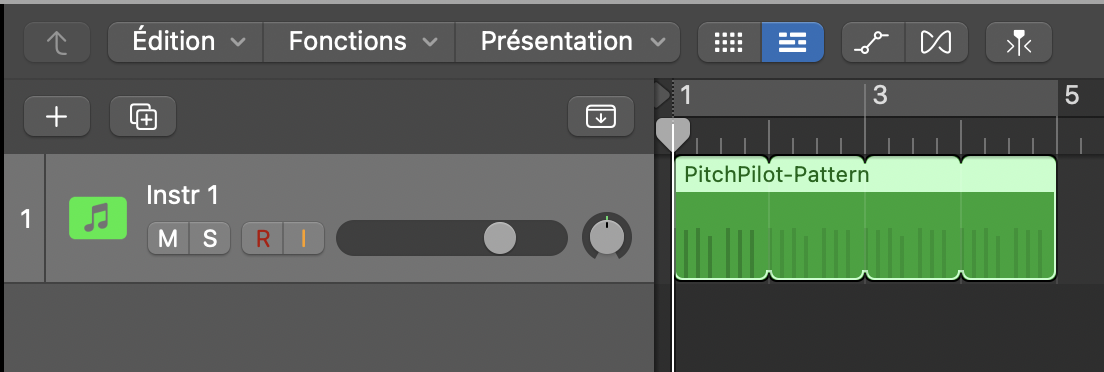
PitchPilot is a tempo-synced pitch sequencer for the Kemper Profiler Player. Create patterns from one to four bars in 4/4 or 6/8, then drag them into your DAW arrangement or export them as MIDI files.
Build patterns step by step
Set the pitch of every sixteenth note across a range of −24 to +24 semitones. Each bar has 16 steps in 4/4 and 12 steps in 6/8.
Build your arrangement
Each MIDI region is independent: create variations and place them at different points in your song.
Preview when needed
The preview loop is optional. It is off by default to prevent it from playing over MIDI regions.
macOS 11+ · AU MIDI FX for Logic Pro · VST3 pour Ableton Live.
Requires a Transpose effect in Rig slot B. 4/4 and 6/8 are supported from PitchPilot 0.7.0 onward; check the version you download.
04 / For your DAW automation
Program the changes.
Play the song.
KemperControlDAW brings Kemper Player MIDI controls into a plugin interface. Set up Rig changes, effects and Morph from your DAW.
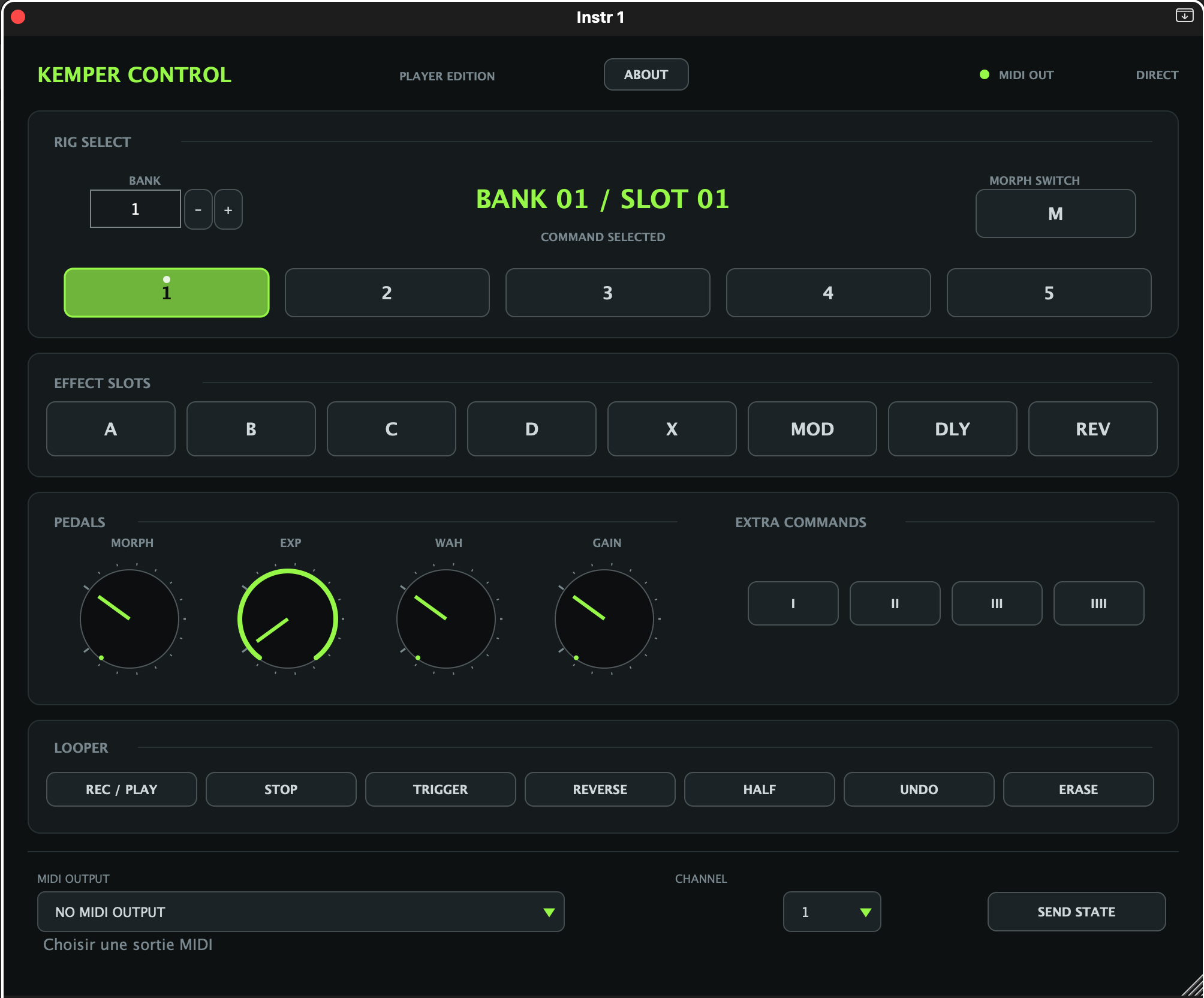
Rigs and effects
Select banks and slots, then automate effect modules when you need them.
Morph and pedals
Control Morph Switch, expression, wah and gain in one interface.
Looper and MIDI
Control the looper and choose your MIDI output and channel directly in the plugin.
macOS · Audio Unit / VST3.
The plugin sends MIDI commands; it does not read the Kemper’s current state.
05 / For your guitar videos
TabSync
Import a Guitar Pro file, sync the tab to your video using markers, then export a transparent MOV to overlay in DaVinci Resolve.
Open TabSyncGet started
Downloads & guides.
Downloads are hosted on GitHub. Each release page includes files and release notes.
For setup and compatibility, see each app’s guide. Kemper tools are independent projects, tested mainly with the Profiler Player.
About the apps
Hi, I’m Adrien.
I’m an engineer by training and a guitarist in When Waves Collide. These apps grew out of practical needs: simplifying my sessions, preparing my sounds and using Logic Pro on stage.
I built them with the help of AI using vibe coding. I’m not a professional developer; I share them in the hope they’ll be useful to other musicians too.
Support my work
Buy me a coffee.
I share these apps for free. If you find them useful, you can buy me a coffee or make a donation through PayPal. Thank you for your support.
Support the project on PayPal